Graveyard Keeper 2 Guides
Pre-launch walkthroughs for cemetery work, factories, combat, and The Town.
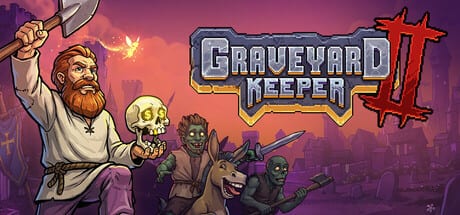
This hub is the map of every Graveyard Keeper 2 tutorial on the wiki. The sequel unlocks on September 22, 2026. Until then, the useful work is not fake endgame theory — it is reading official systems, screenshot HUD details, and the two loops Lazy Bear actually showed: cemetery capitalism and Town-scale zombie labor.
Start with Getting Started if you want a first-week order. Jump to What’s New if you already buried hundreds of bodies in 2018. Use Preview when you only want a honest list of what is still unknown.
How to use these guides
Graveyard Keeper 2 is still upcoming. That changes how a guide should read. We do not invent drop tables, exact XP curves, or quest names that have not appeared in Steam news, trailers, or store screenshots. We do document:
- Storefronts, price, and the current pre-order window
- System requirements and platforms
- Systems Lazy Bear named in devlogs: zombies 2.0, graveyard modules, Town restoration, combat, 3D lighting
- HUD and tech-tree labels visible in official screenshots (Garden, Graveyard, Town Workshop, Astrologer’s Tower, Port Area)
If a sentence would only be true after you have a live save, we mark it as a launch-day check instead of a fake fact.
The four loops you will actually play
Official copy splits the sequel into four jobs that share one character: the Grand Inquisitor.
- Cemetery work — bury, decorate, and score graves. The Graveyard location in screenshots still uses skull ratings on individual plots. Read graveyard management.
- Production — harvest flora, fauna, and remains, then push them through machines and zombie workbenches. The Town Workshop shot shows a full indoor factory. Read automation.
- Defense — arm zombies, raise barricades, and fight in Town streets. Read zombie army combat.
- Civic profit — restore homes, take Town quests, and turn other people’s problems into revenue. Read rebuild the Town.
Those four loops share a dedicated tech tree with tabs for Character, Tech Tree, Inspirations, Quests, and Map, plus a new talent layer from the September story diary. Early Building nodes visible in screenshots include The Concept of Wood, Woodworking I, Chopping, The Concept of Stone, Simple Weapons, Tool Rack, Pottery I, Simple Barricades, Oiled wood, Stone Polishing, and Brick Making. Planting sits on farming. Street fights sit on combat as well as the army roster.
First-week reading order
If you only have an evening before launch, read in this order:
- Getting Started — platforms, HUD, hotbar, build keys
- Pre-order checklist — Sauna, outfit, 20% Steam cut
- What’s New — 3D world, Town, combat, inverted skull incentives
- Tech tree then Farming
- Graveyard then Automation
- Combat and Zombie army then Rebuild the Town
Bookmark the updates hub for the April announcement, May zombie devlog, June Town devlog, July art diary, August launch date, and September story note.
What this wiki will not do
We will not pad pages with generic Stardew advice. We will not pretend a codes page exists — this is a paid Lazy Bear sequel, not a Roblox experience. We will not copy other wikis. When Steam, tinyBuild, or Lazy Bear contradict an older trailer, the devlogs page wins.
After September 22, these same URLs should absorb live recipes, module lists, and Town quest routes without changing the navigation tree. Until then, treat every number that is not on a screenshot or a store page as a hypothesis.
Related tools and characters
Pair this hub with the tools hub if you need hardware or storefront help, the characters hub if you want the Grand Inquisitor and skull companion, and the links hub for Steam and studio channels. The preview article is the right place for expectations, voice-acting notes, and AI-art rumors that are not gameplay facts.
Frequently Asked Questions
Quick answers Keepers ask before September 22.
Do I need the original Graveyard Keeper?
No. The sequel is a new Grand Inquisitor campaign. The original still helps with tone. See Getting Started.
Which guide should I read first?
New players: Getting Started. Veterans: What's New. Shoppers: pre-order.
Are these guides spoiler-heavy?
They use official trailers, Steam news, and store screenshots. They do not invent quest names or late-game recipes.
Will you add recipes after launch?
Yes. This hub URL stays the index. Child pages will gain tables once Keepers can take screenshots from a live build.